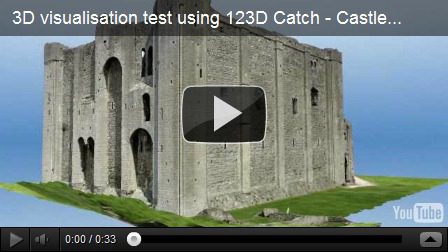
I was sent this nice link by Hexcam to a video on YouTube of Castle Rising Norfolk created using only the free Autodesk 123D Catch.. The actual model is a 3D textured mesh model that can be exported to a wide variety of formats as well as exported as an animation to YouTube or saved to your local computer.
The software you load your photos on uploads the photos and then uses the high end cloud based computer network to mathematically compute the model as it takes a very high end computer and GPU and then sends the model back to your 123D Catch client. There is a Windows version, cloud hosted version so you can use almost any OS, and a mobile version of AutoCAD 123D Catch Mobile in the Apple App Store for the iPad 2 and up..
 http://www.youtube.com/v/gmzyz9daa0s?hl=en&hd=1<\/embed><\/object><\/div>";” alt=””>
123D Catch – Castle Rising, Norfolk
What can you Catch in 3D?
-Shaan

Hi Shaan! I just came from a forum where us hoseheads (CPAP users) are griping about the difficulty of getting a good fit for our CPAP masks.
http://www.cpaptalk.com/viewtopic/t80848/Ikea-InstructionsRant.html
It seems to me that 123D could be a big help to many thousands of us. Adjusting to life with a hose connected to your face every night is tough, and finding the best fit for your mask is THE key.
You wouldn’t happen to know any CAD/Inventor users at one of the CPAP companies, would you? Phillips Respironics, ResMed… maybe whisper a suggestion in somebody’s ear?
Hi Shaan,
is it possible to get the results as .stl files ?
Autodesk is a great tool but i need to convert the results to stl !
Is there a way or a plugin to get that ?
The desktop 123D Catch can export a mesh in OBJ, FBX or as a point cloud .LAS file. There are several tools many free as well as Autodesk 3ds Max that can convert an OBJ to STL.