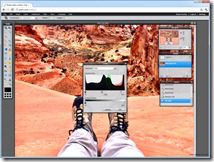
There have been many Pixlr updates recently and an added surprise for me personally after a photo effect was named for me in Pixlr-o-matic web and mobile products.
Autodesk acquired Pixlr July 2011 and they have a few online and mobile image editing solutions. There is the online powerful Pixlr Editor and then the Pixlr-o-matic online and mobile that allows creative and retro treatments of photos.
Pixlr-o-matic
Pixlr-o-matic is available on the web at http://pixlr.com/o-matic/ as a download, on Facebook, as a Chrome web app, and for your Android or iOS device. You can load photos and apply creative and retro treatments. One awesome surprise to me was the addition of the new “Shaan” photo effect to the latest update. The Shaan Effect is a retro style sepia look that I had discussed with the founder of Pixlr Ola Sevandersson at Autodesk University 2011.


With the free mobile App for Android or iOS you get the Default Effects containing 25 nice effects.
You can get several additional effects. On the web version and Android they are free but on iOS they are $2.99.
- Subtle – 9 Effects
- Too Old – 6 Effects including the Shaan Effect
- Unicolor – 9 Effects
- Soft – 11 Effects


On the web based Pixlr-o-matic you can upload photos or use your webcam. You get access to all the effects for free including the newest one “Shaan”. I captured a quick video (with SnagIt’s new Video capture feature –LOVE IT) showing using the web based Pixlr-o-matic and browsing the Effects applying the new Shaan Effect and then adding a border.
 http://www.youtube.com/v/jvOWH9GRXmc?hl=en&hd=1<\/embed><\/object><\/div>";” alt=””>
Get the Pixlr-o-matic App now 

Pixlr Web Image Editor
This is a great web based image editor and free. It allows you to perform some very complex selections, layers, filter effects including a tilt shift, and image editing workflows that rival many desktop photo editing software all for free and without installing a gig of software. Check this tool out: http://pixlr.com/editor/


Some BIG numbers:
- Pixlr has surpassed the 400 million pictures edited with Pixlr.com in under 4 years. http://autode.sk/wpuMXZ
- Over 1.5 million new images are edited every single day on Pixlr.com. http://autode.sk/wpuMXZ
Check out the Pixlr Blog (http://blog.pixlr.com/) for the very latest in Pixlr news and new products.
Cheers,
Shaan
